May 6, 2026 at 1:31 PM


Join Date: Oct 23, 2025
Location: Dominican Republic
Posts: 67
Age: 18
Pronouns: he/him
TSC Editor+ v2.1 STABLE

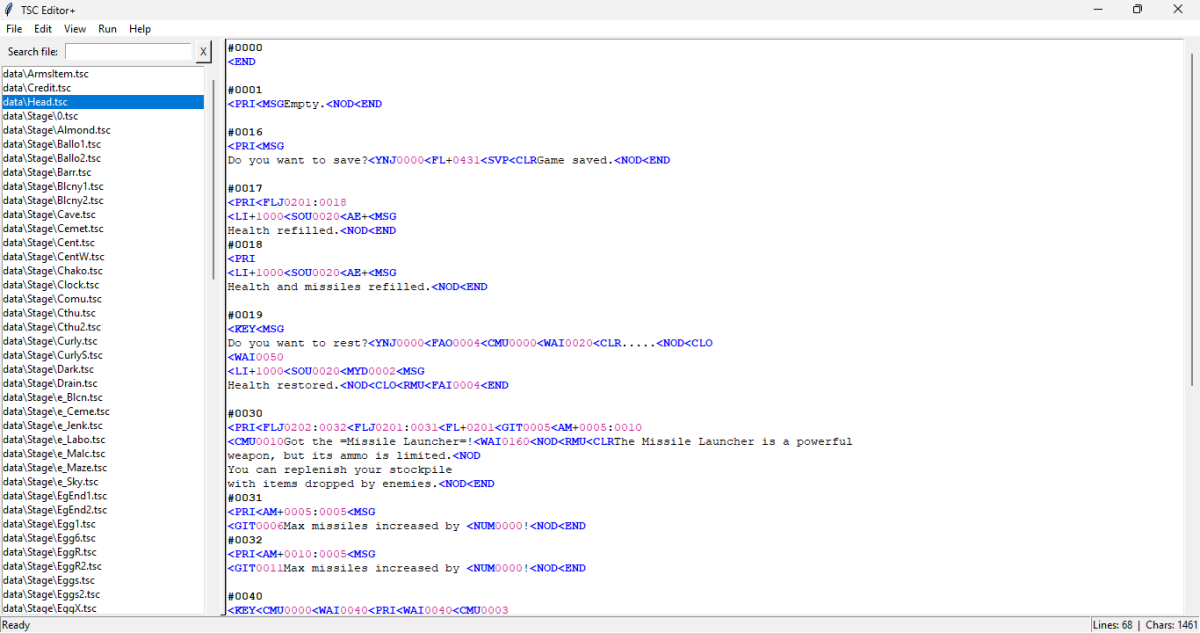
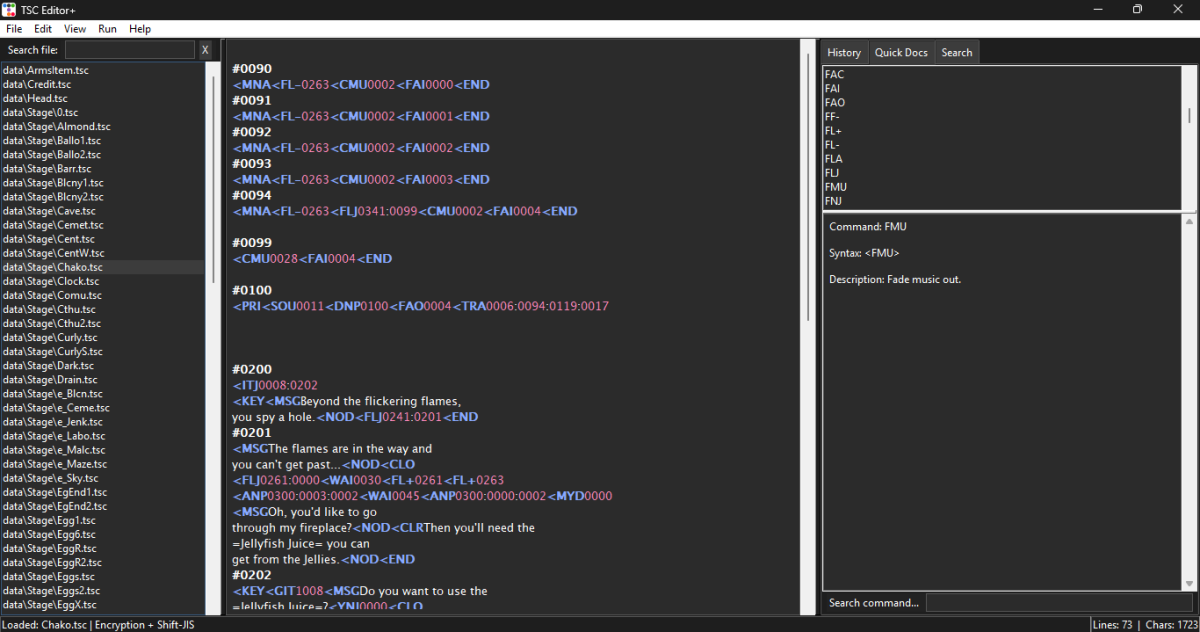
TSC Editor+ is a multi-language editor for .tsc script files used in Cave Story, Cave Story+ (Steam/Switch) and related engines/mods.
This project focuses on improving the workflow for modders, translators, and script editors with tools like syntax highlighting, encoding detection, project management, and built-in command documentation.
Features (2.1) – STABLETSC Editor+ is a multi-language editor for .tsc script files used in Cave Story, Cave Story+ (Steam/Switch) and related engines/mods.
This project focuses on improving the workflow for modders, translators, and script editors with tools like syntax highlighting, encoding detection, project management, and built-in command documentation.
FULL INTERNATIONALIZATION (English / Espanol / Nihongo)
- All menus, dialogs, messages, status bars and history entries are now fully translatable – no hardcoded strings.
- Change language at any time in Settings (Ctrl+K); saved in settings.json.
- Three built-in languages (English, Spanish, Japanese) are fully supported.
BACKUP SYSTEM
- Backup current TSC file (Ctrl+B) – creates a dated subfolder and copies the file.
- Backup all TSC files in the loaded folder (Ctrl+Shift+B) – batch backup with a progress bar.
- Configurable backup directory in Settings (custom path, or leave empty to use default backups/ folder).
- Backups are never overwritten (each operation creates a new timestamped folder).
SMART REPLACE ALL TSC FILES
- Batch version of the "Smart Replace Special Characters" feature.
- Applies to every .tsc file in the currently loaded folder.
- Replaces n -> n, removes accents (aeiouu) and deletes inverted exclamation and question marks.
- Shows a progress bar with file names and reports results (processed, modified, errors).
NINTENDO SWITCH ANIMATED FACES
- Full support for Switch-style face commands:
- <FAC10XX – Idle animation (blinking) using anim1 (eyes open), anim4 (half-closed), anim5 (closed)
- <FAC11XX – Talk animation (mouth movement) using anim1 (closed), anim2 (half-open), anim3 (fully open)
- <FAC01XX – Static Switch face (no animation)
- Automatic mode detection – right-click on any Switch FAC code and the correct animation starts immediately (Idle or Talk).
- Smart image loading – placeholder images that are pure green (#00FF21) are automatically skipped; only real sprites are used.
- Multiple naming formats – supports full 4-digit codes, padded 2-digit, or short names.
- Folder structure for Switch (place inside faces/switch/):
anim1/ – Idle eyes open / Talk mouth closed
anim2/ – Talk mouth half-open
anim3/ – Talk mouth fully open
anim4/ – Idle eyes half-closed
anim5/ – Idle eyes closed
ENCODING OVERHAUL – NO MORE REPLACEMENT CHARACTERS
- Improved auto-detection now correctly distinguishes cp1252 (Spanish) from shift_jis (Japanese/English).
- Fallback chain for Shift-JIS: shift_jis -> cp1252 -> cp932 -> latin-1.
- Suspicious characters trigger an automatic fallback to shift_jis or cp1252.
- Cipher 0 (plain text) is never forced to UTF-8 – TSC files are saved with their original encoding unless manually overridden.
- Manual encoding/cipher dialog includes a live preview to help choose the correct settings.
UTF-8 EXPORT FIX – NO EXTRA BLANK LINES
- When exporting to .txt or .cstsc, line endings are normalised to LF (\n).
- Prevents the game from misinterpreting empty lines (a common issue with Windows CRLF).
- Files originally using \r\n are converted to \n internally.
ENHANCED COMMAND INFO (RIGHT-CLICK)
Now shows detailed information for many more commands:
- FAI / FAO – direction names (Left, Up, Right, Down, Center, INVALID)
- TRA – full map names (Arthur's House, Egg Corridor, etc.)
- Weapon commands (AM+, AM-, AMJ, GIT, TAM) – weapon names (Snake, Polar Star, Missile Launcher, etc.)
- Item commands (GIT, IT+, IT-, ITJ) – item names (Arthur's Key, Map System, Silver Locket, etc.)
- SOU – descriptive sound effect names (e.g., "Message typing", "Door", "Explosion")
- CMU – already had song names; improved consistency
QUICK DOCS HINTS PANEL
- A rotating hint panel appears at the bottom of the Quick Docs tab.
- Hints change every 5 seconds and are fully translated (English, Spanish, Japanese).
- Provides useful tips (character counter, backups, cipher issues, testing with F5, etc.).
OTHER IMPROVEMENTS
- Settings window now has a scrollbar (all options are accessible even on smaller screens).
- "Suggest" button in export settings now proposes both encoding and the original file's cipher (no more forced 0).
- Theme button is now always visible – change theme from Settings (Ctrl+K) or the toolbar.
- Sidebar file highlight works reliably after theme changes or file switching.
- About dialog updated to version 2.1 with a complete list of features (fully localised).
- Auto-installer now only downloads required libraries (ttkbootstrap, Pillow, pywinstyles).
- Full compatibility with Python 3.14 (32-bit and 64-bit).
BUG FIXES (v2.1)
- KeyError: 'face_version_switch' – added missing translation key.
- UnboundLocalError in command syntax analyzer – initialised variable before use.
- Backup folder creation in temporary folder when compiled as .exe – resolved (backups now go to executable's folder by default).
- Encoding auto-detection incorrectly choosing cp850 for Japanese files – improved heuristics and fallback order.
- Latin-1 being wrongly selected – penalised when suspicious characters appear; added bonus for Japanese characters.
- Missing translation for "New Empty Tab" – added key.
- Tab manager context menu ("Close", "Close Others", "Close All") – now localised.
- History entries for undo/redo/copy/paste/cut/backspace/enter/space/handwrite – now use translation keys.
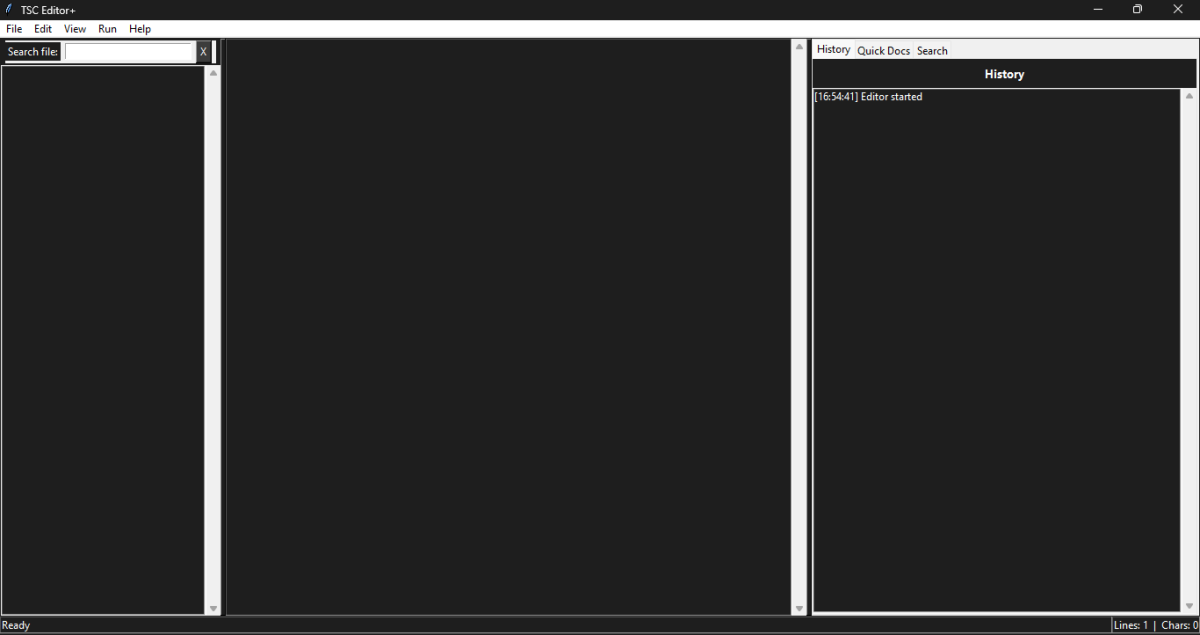
- Editor startup history entry ("Editor started") – now localised.
- "Game launched" history entry – now localised.
- Character counter dialog – "No text selected", "Selected text is empty", "Characters:", "Limit:" now localised.
- Face preview dialog – "Cancel" button now uses translation key.
- Backup progress label ("Copying: filename") – now localised.
DEPENDENCIES (auto-installed)
Library Purpose Version
ttkbootstrap Modern themes (Darkly, Vapor, Cosmo) 1.10.1
Pillow Face sprite preview (FAC command) 10.0.0
pywinstyles Windows title bar color (dark/light) 1.8
No manual installation needed – the program installs them into the libs/ folder automatically.
KEYBOARD SHORTCUTS (updated)
Shortcut Action
Ctrl + O Open .tsc
Ctrl + Shift + O Open project (.cstsc)
Ctrl + Shift + Alt + O Open folder
Ctrl + S Save project
Ctrl + Shift + S Export .tsc (or .txt)
Ctrl + B Backup current TSC
Ctrl + Shift + B Backup all TSC files
Ctrl + F Focus search tab
Ctrl + R Smart replace
Ctrl + Z Undo
Ctrl + Y Redo
Ctrl + H Show history
Ctrl + K Open settings
Ctrl + Shift + C Command syntax analyzer
Ctrl + N / Ctrl + T New empty tab
Ctrl + W Close current tab
Ctrl + Shift + W Close all tabs
Ctrl + Alt + W Close other tabs
F5 Test game
Alt + F4 Exit
FOLDER STRUCTURE (updated for Switch)
TSCEditor/
├── main.py
├── tsc_editor/ (Main package)
├── faces/ (Face sprites)
│ ├── free/ (fac_sprite_freeXX.png)
│ ├── steam/ (fac_sprite_steamXX.png)
│ └── switch/ (Animated sprites)
│ ├── anim1/
│ ├── anim2/
│ ├── anim3/
│ ├── anim4/
│ └── anim5/
├── backups/ (Default backup folder, created on first backup)
├── libs/ (Auto-downloaded dependencies)
└── settings.json (Saved settings)
UPGRADING FROM v2.0
Replace all files in the tsc_editor/ folder with the new ones.
Your settings.json, custom_commands.json, and command_colors.json will be automatically upgraded (new keys added).
KNOWN ISSUES / NOTES
- Antivirus false positives: The executable is packaged with PyInstaller, which sometimes triggers generic alerts (e.g., "Gen:Variant.Tedy", "Wacatac"). It is 100% safe. An "Antivirus Notice.txt" file is included in the ZIP.
- Switch animated faces require the correct folder structure and image naming (see above). Placeholder green images (#00FF21) are automatically skipped.
- Encoding auto-detection is much improved but not perfect. You can always switch to manual encoding/cipher selection in Settings.
- Backup directory in Settings uses relative paths from the executable's location (not the temporary folder). Use ./backups or an absolute path for reliability.
Supported Encodings
- Shift-JIS
- CP932
- UTF-8
- Latin-1
- CP850
- CP12
Supported Languages
- English
- Español
- 日本語
Keyboard Shortcuts
Ctrl + O Open .tscCtrl + Shift + O Open project
Ctrl + Shift + Alt + O Open folder
Ctrl + S Save project
Ctrl + Shift + S Export .tsc
Ctrl + F Search
Ctrl + R Smart replace
Ctrl + Z Undo
Ctrl + Y Redo
F5 Test game
Notes
- Windows is currently the primary supported platform.
- Linux/macOS support is experimental.
- Some encrypted TSC formats may behave differently depending on the engine version or mod.
License
MIT LicenseCredits
Inspired by the Cave Story modding community.Developed with Python.
Carrot Lord's Encryptor and Decryptor (Booster's Lab) (Cave Editor) was used
Author
EdwarlyGamer999+Requirements
Python 3.8+ (Release 2.1) (Windows 7/8/10/11)
Python 3.8+ (Release 2.0) (Windows 7/8/10/11)
Python 3.8+ (Release 1.2) (Windows 7/8/10/11)
Python 3.8+ (Release 1.1) (Windows 7/8/10/11)
Python 3.9+ (Release 1.0)
Python 3.8 (Required For Lite Version) (Windows 7)
Last edited: